TeXposit
9.1 / 10 BenchmarkAI‑powered, EU‑hosted LaTeX editor with live preview and collaborative writing

AI‑powered, EU‑hosted LaTeX editor with live preview and collaborative writing

| Pricing Model | Free |
|---|---|
| Starting Price | Free |
| Free Trial | None |
| Official Pricing Tiers | View Complete Pricing Plans → |
| Ideal Audience & Best For | Researchers, Academics, Graduate Students, Publishers, Institutions |
| API & Integrations | REST API & Webhooks Ready |
| Community Upvotes | ▲ 20 votes by verified community members |
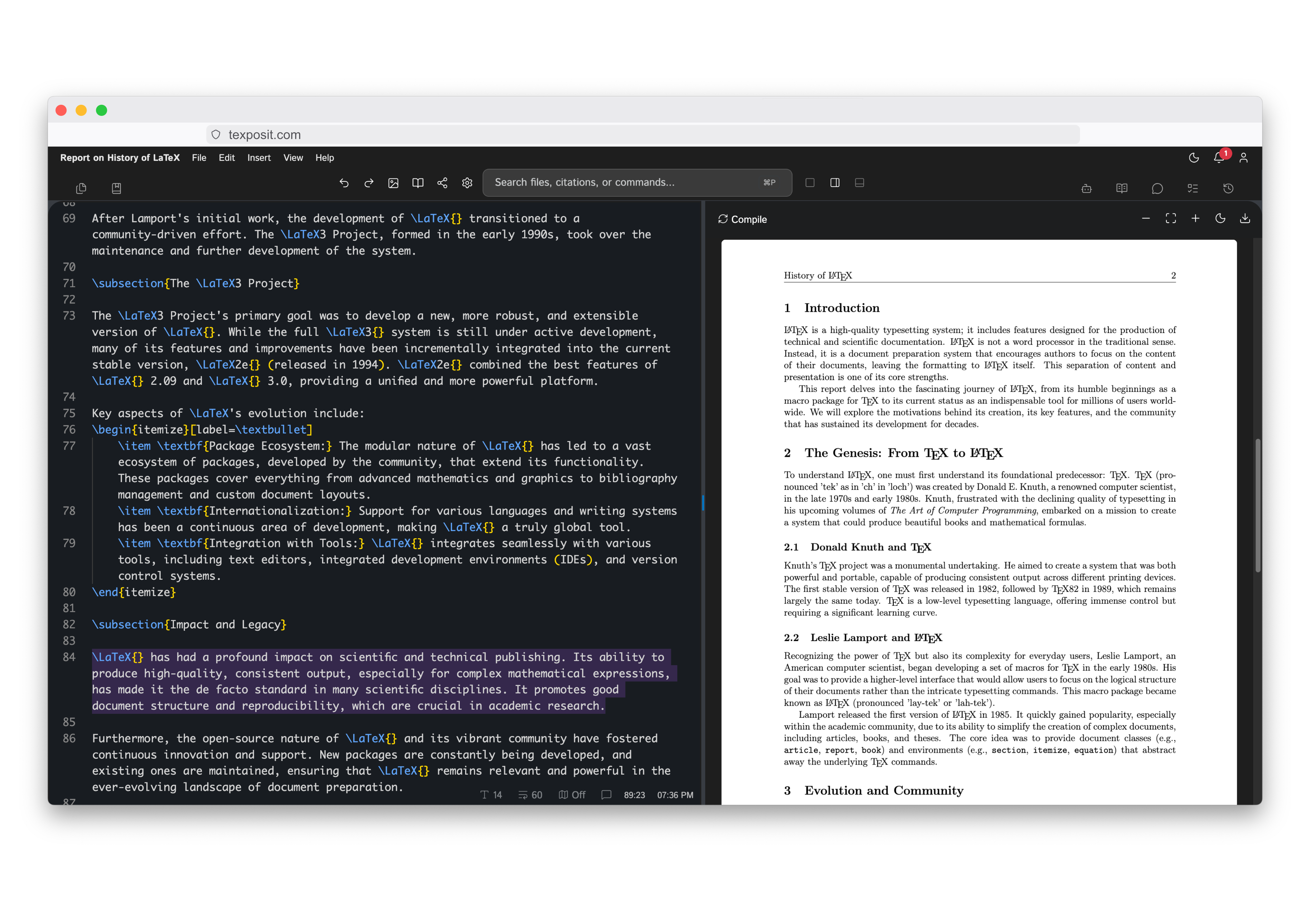
Client‑side LaTeX engine runs in the browser, compiling as you type and eliminating server queues. The hybrid .tex.md format lets users switch between Markdown, LaTeX, and a visual editor, while built‑in reference search pulls arXiv and other databases directly into the document. AI assistance is powered by Ollama, enabling local model inference for research discovery, drafting, and citation management, all within a GDPR‑compliant EU‑hosted environment.
TeXposit supports real‑time collaboration with unlimited participants, per‑user version history, and inline chat. Every edit is a git commit, and cryptographic signatures record authorship and AI usage. The editor offers local file sync, GitHub integration, and a template wizard that scaffolds journal, thesis, or preprint projects. Continuous citation checking and error‑free LaTeX compilation provide instant feedback.
Targeted at researchers, graduate students, and academic publishers, TeXposit cuts compile time from minutes to seconds and removes the need for external servers. Unlimited collaborators and AI‑augmented drafting reduce manuscript turnaround by up to 50 %, while version control and provenance give institutions audit‑ready documentation.
TeXposit is a browser‑based LaTeX and Markdown editor that compiles documents client‑side using a built‑in LaTeX engine. It supports a hybrid .tex.md format, real‑time collaboration, AI assistance via Ollama, built‑in reference search, and cryptographic provenance. All data is stored on EU servers or can be self‑hosted.
TeXposit is free to use with unlimited projects, collaborators, and AI features. There is no paid tier or trial period; the free tier is fully functional.
It is ideal for researchers, graduate students, academic writers, publishers, and institutions that need collaborative, AI‑augmented LaTeX editing with GDPR compliance.
TeXposit runs as a web app, supports local file sync, GitHub integration, and can be self‑hosted on your own infrastructure. It also integrates with Ollama for local AI models.