TabX
9.2 / 10 BenchmarkChrome's AI sidekick that remembers every tab and recalls content by meaning.
Chrome's AI sidekick that remembers every tab and recalls content by meaning.
| Pricing Model | Freemium |
|---|---|
| Starting Price | Free |
| Free Trial | 7-Day Free Pro Trial (No CC) |
| Official Pricing Tiers | View Complete Pricing Plans → |
| Ideal Audience & Best For | Researchers, Developers, Marketers, Students, Knowledge Workers |
| API & Integrations | REST API & Webhooks Ready |
| Community Upvotes | ▲ 27 votes by verified community members |
TabX is a Chrome extension that transforms browser history into a persistent, semantic memory layer. It addresses the fragmentation of digital research by indexing every page a user reads, allowing for retrieval based on conceptual meaning rather than brittle keyword matching. This architecture positions TabX as an essential productivity companion for knowledge workers who rely on web-based research, effectively turning ephemeral tabs into a durable, queryable knowledge base.
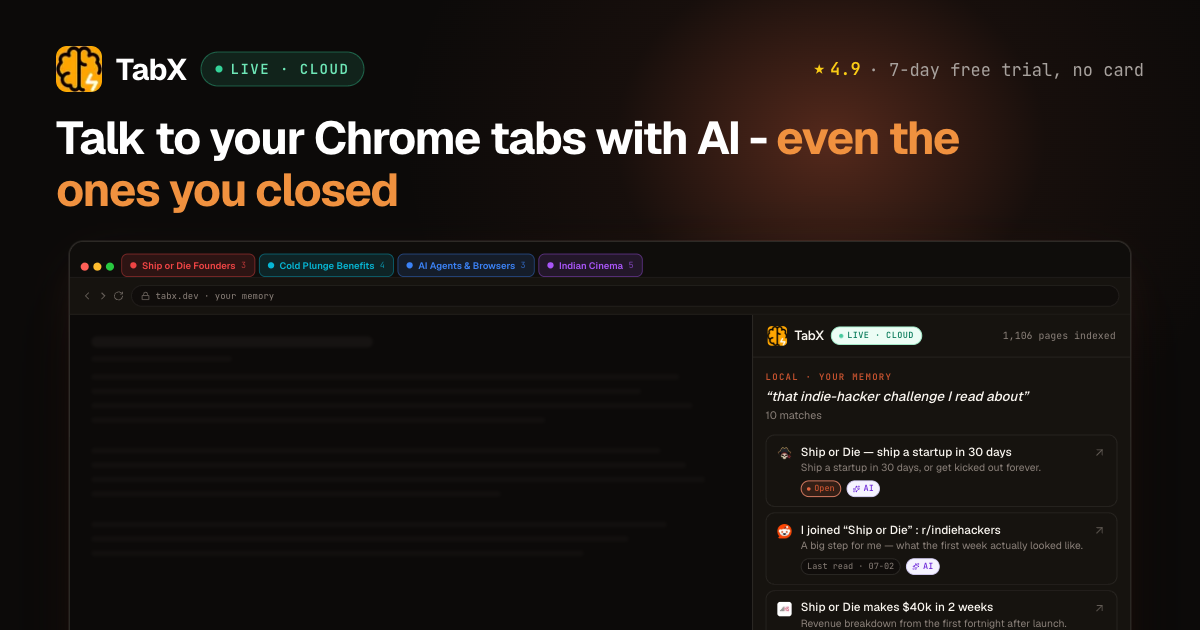
The core workflow involves automatic indexing of visited pages, which are then organized into color-coded stacks and journey-map timelines. Users can interact with this data via a side panel, using @mentions to chat with specific tabs, stacks, or timelines. The system provides grounded, cited answers derived from the user's actual browsing history, supports scroll-synced page summaries, and includes an ad-free web search capability, all accessible via a simple keyboard shortcut (⌘/Ctrl + I).
TabX is ideal for researchers, developers, marketers, and students who manage high volumes of web-based information. By eliminating the need to manually bookmark or re-search for previously read content, it significantly reduces cognitive load and time spent on information retrieval. The tool is designed for individual professionals and small teams who require a seamless, non-intrusive way to maintain context across their daily browsing sessions.
TabX is a Chrome extension that acts as an AI sidekick for your browser. It automatically indexes every page you read, allowing you to recall content by meaning rather than keywords. It organizes your browsing history into stacks and timelines, enabling you to chat with your past research using @mentions and receive cited, grounded answers.
TabX offers a free tier for basic functionality. Users can access a 7-day free Pro trial without requiring a credit card. The Pro tier likely includes advanced features such as cloud-based memory and enhanced AI capabilities.
TabX is ideal for researchers, developers, marketers, and students who consume large amounts of web-based information. It is particularly useful for professionals who need to quickly retrieve and synthesize insights from previously read articles without re-searching.
TabX is currently available as a Chrome extension. It integrates directly with the Chrome browser to index tabs and provide AI-powered insights. There is no mention of native integrations with other browsers or external productivity tools in the provided content.