Runspace
8.8 / 10 BenchmarkRun any command in a fresh GitHub Codespace, instantly, with no local footprint.

Run any command in a fresh GitHub Codespace, instantly, with no local footprint.
| Pricing Model | Open_source |
|---|---|
| Starting Price | Free |
| Free Trial | None |
| Official Pricing Tiers | View Complete Pricing Plans → |
| Ideal Audience & Best For | Developers, DevOps, AI Agents, CI/CD Pipelines |
| API & Integrations | REST API & Webhooks Ready |
| Community Upvotes | ▲ 34 votes by verified community members |
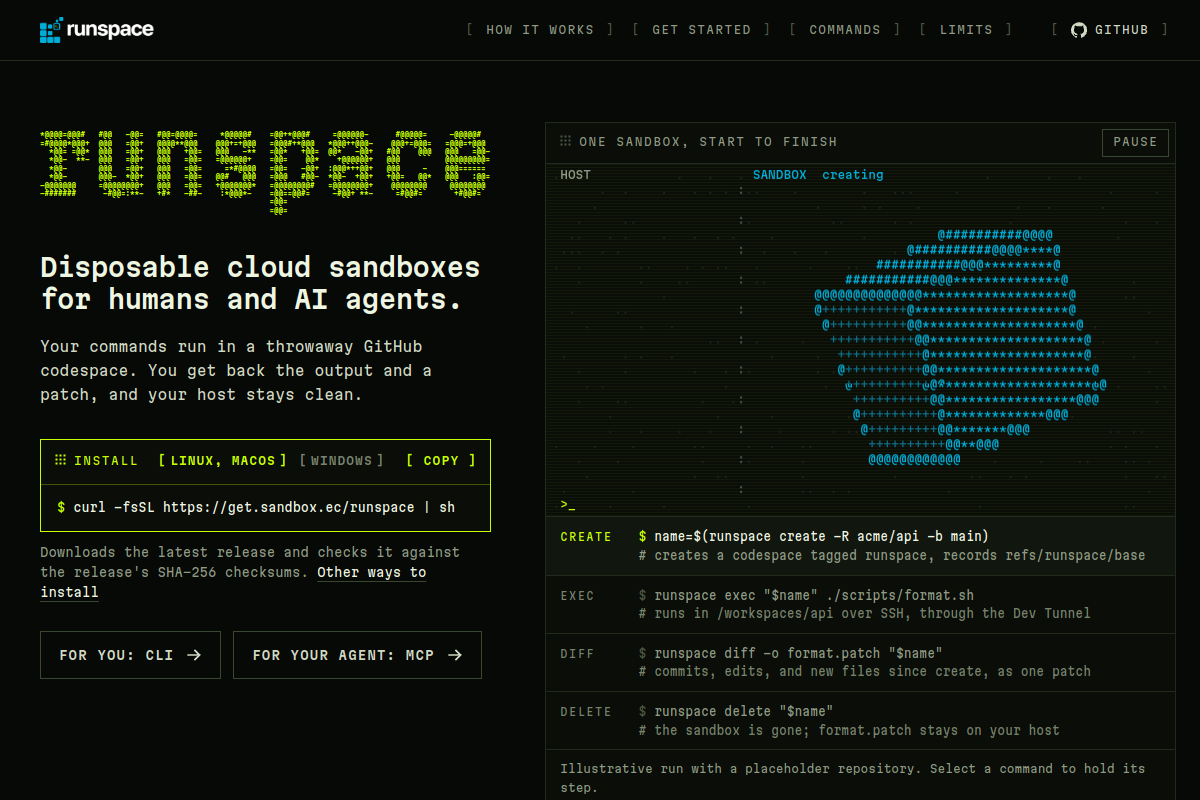
Runspace leverages GitHub Codespaces as a disposable, on-demand execution environment, eliminating the need for local dependency management and ensuring consistent, isolated builds for developers and AI agents alike. It solves the perennial problem of environment drift and dependency bloat by spinning up a clean codespace per run, executing commands over SSH via the Dev Tunnel, and tearing down the sandbox automatically, leaving no residual state on the host.
The tool exposes a unified CLI and MCP server interface with seven core commands—create, exec, diff, delete, pause, resume, and list—accepting repository URLs, branch references, work directories, and arbitrary command arguments. Outputs include stdout, exit codes, and a diff patch of all file changes since sandbox creation, enabling seamless integration into CI/CD pipelines or AI agent workflows.
Runspace targets individual developers, small teams, and AI agents that require rapid, repeatable, and isolated execution of build, test, or deployment scripts. By eliminating local environment setup, it saves hours of manual configuration per project and reduces merge conflicts, making it ideal for teams scaling from solo devs to 10‑person squads.
Runspace is a CLI and MCP server that creates disposable GitHub Codespaces, runs your commands over SSH via the Dev Tunnel, and returns output and a patch of changes, all without leaving any state on your local machine.
Runspace is open source and free to use. There is no paid tier or trial—just download the binary or install via the provided scripts.
Runspace is ideal for developers, CI/CD pipelines, and AI agents that need isolated, repeatable execution of build, test, or deployment scripts without managing local environments.
Runspace integrates natively with GitHub Codespaces, supports Linux, macOS, and Windows via a single static binary, and exposes a CLI and MCP server for both terminal and AI agent use.