Rouler
8.9 / 10 BenchmarkGranular split tunnelling for Windows: route specific apps or IPs through multiple VPNs simultaneously.

Granular split tunnelling for Windows: route specific apps or IPs through multiple VPNs simultaneously.

| Pricing Model | Free |
|---|---|
| Starting Price | Free |
| Free Trial | Free Public Beta |
| Official Pricing Tiers | View Complete Pricing Plans → |
| Ideal Audience & Best For | Power Users, IT Administrators, Developers, Privacy Advocates |
| API & Integrations | REST API & Webhooks Ready |
| Community Upvotes | ▲ 33 votes by verified community members |
Rouler is a specialized network routing utility for Windows that solves the limitation of standard VPN clients, which typically force all traffic through a single tunnel. Built on a custom, lightweight Rust-based network driver, it operates at the kernel level to intercept and redirect traffic without relying on virtual network adapters, user-mode proxies, or custom NAT tables. This architecture ensures minimal system interference, high performance, and compatibility with strict game anti-cheat systems, positioning it as a precision tool for advanced network management rather than a general-purpose VPN client.
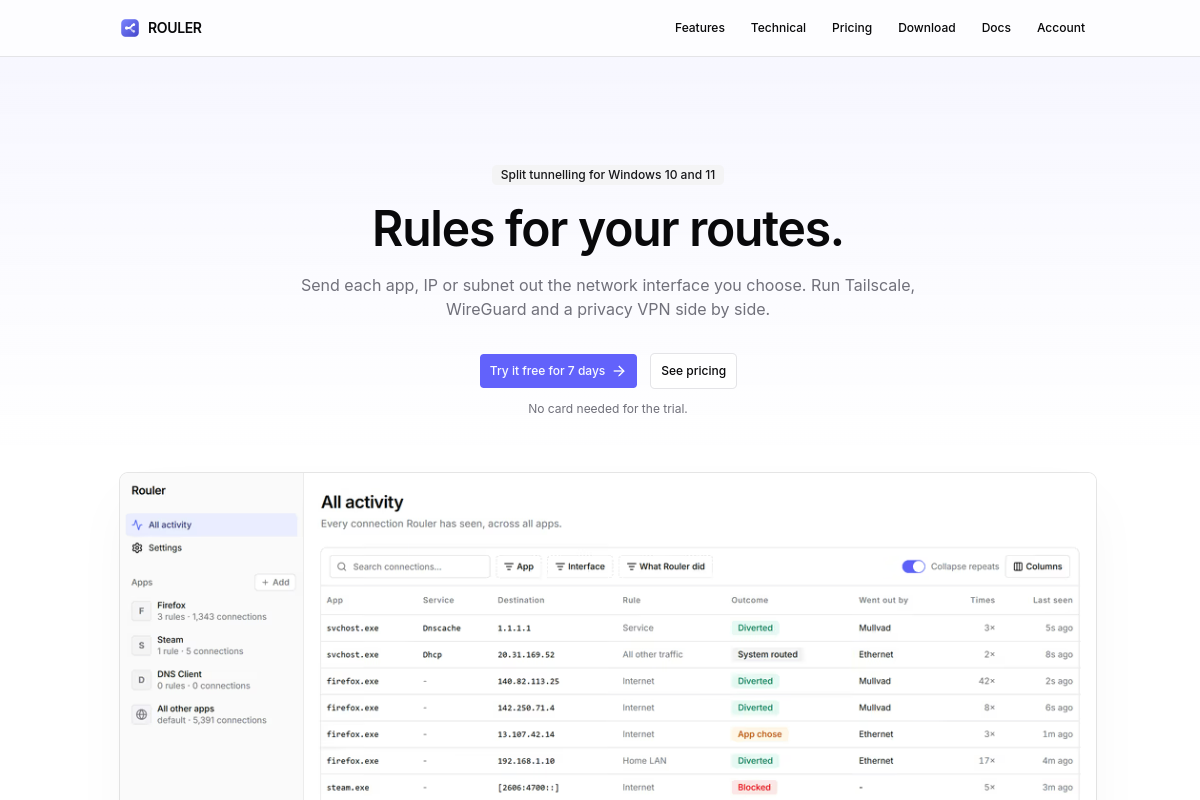
The core workflow involves creating granular rules that match specific applications, Windows services, or destination IP subnets. Users can assign these rules to any active network interface, allowing for complex scenarios such as routing a browser through a privacy VPN (e.g., Mullvad) while sending work-related applications through a corporate tunnel (e.g., Tailscale or WireGuard) simultaneously. The interface features a live activity view that visualizes every connection, the matched rule, and the resulting route, enabling real-time debugging and verification of traffic flow without digging through system logs.
Rouler is best suited for power users, IT administrators, and developers who require strict network segmentation on Windows. It provides immediate operational ROI by eliminating the need to switch VPN profiles or reboot to change routing contexts, saving significant time in multi-environment workflows. Ideal for individuals managing multiple identities (personal vs. work) or developers testing network conditions, it scales from single-user desktops to small teams requiring consistent, auditable network policies across Windows endpoints.
Rouler is a split tunnelling tool for Windows that uses a custom Rust driver to route specific applications or IP ranges through chosen network interfaces. It allows you to run multiple VPNs simultaneously by assigning different apps to different tunnels, without interfering with the rest of your system's networking.
Rouler is currently available as a free public beta. There are no paid tiers or trials mentioned, as the software is provided at no cost during this beta phase.
It is best suited for power users, developers, and IT professionals who need to manage complex network environments on Windows, such as separating work and personal traffic or testing specific network paths for applications.
Rouler is exclusive to Windows. It integrates with any VPN client that creates a network interface, including WireGuard, Tailscale, OpenVPN, Mullvad, and AmneziaWG, allowing them to run side-by-side.