Quiet
8.5 / 10 BenchmarkA research prototype for an HCI assistant that only speaks when you hesitate.

A research prototype for an HCI assistant that only speaks when you hesitate.
| Pricing Model | Free |
|---|---|
| Starting Price | Free |
| Free Trial | Free Access (Research Prototype) |
| Official Pricing Tiers | View Complete Pricing Plans → |
| Ideal Audience & Best For | HCI Researchers, Interaction Designers, Academic Institutions, UX Researchers |
| API & Integrations | REST API & Webhooks Ready |
| Community Upvotes | ▲ 38 votes by verified community members |
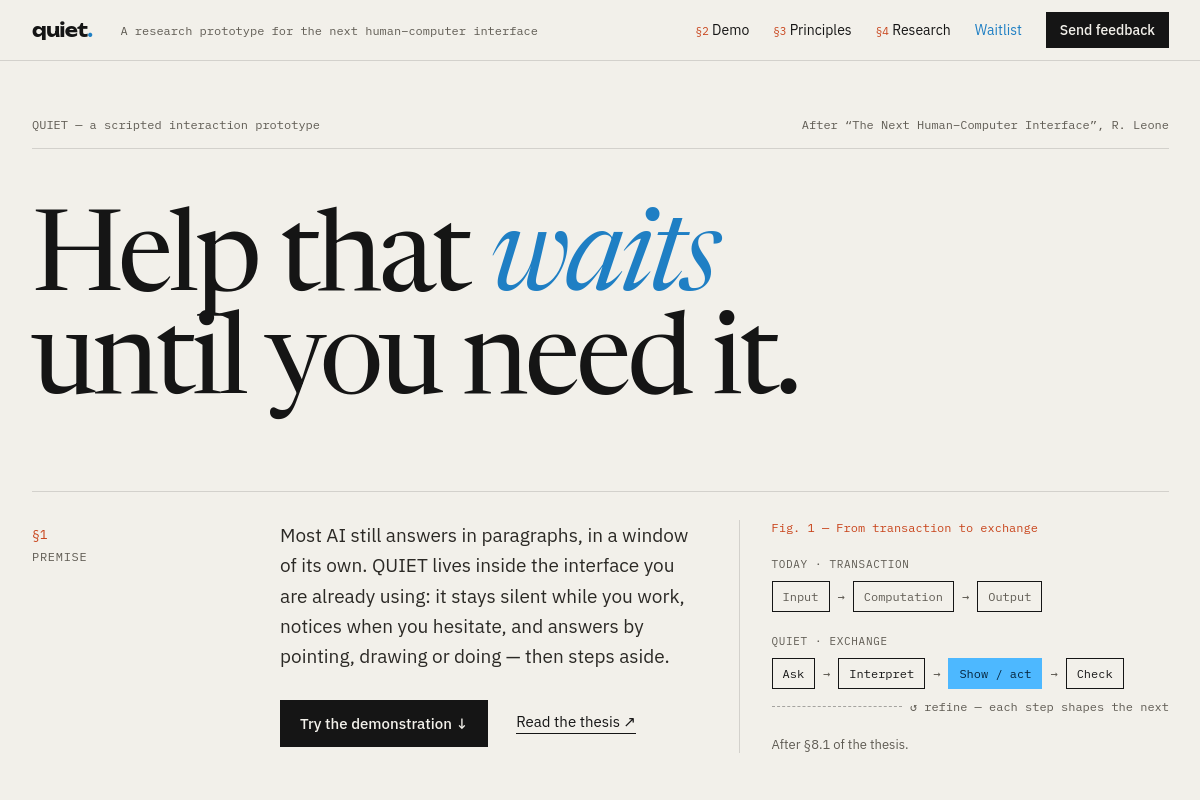
QUIET is a scripted interaction prototype derived from the academic thesis “The Next Human–Computer Interface” by Ruggiero Leone. It addresses the fundamental problem of AI interruption fatigue by shifting from a transactional input-output model to a mixed-initiative exchange. Unlike traditional chatbots that occupy separate windows and respond in verbose paragraphs, QUIET is designed to live invisibly within existing interfaces, maintaining silence until specific hesitation signals are detected.
The system operates by monitoring user behavior for hesitation cues, such as mouse movement patterns or idle time, and responds with context-aware, minimal interventions. Instead of text-heavy answers, QUIET utilizes visual and functional actions such as pointing, drawing, or executing direct commands (e.g., removing a background in an image editor or suggesting a travel route). The current implementation is a live demonstration where hesitation signals are real, but the responses are hand-written scripts designed to test interaction timing and form rather than generative intelligence.
QUIET is primarily a research artifact and design tool intended for HCI researchers, interaction designers, and academic institutions exploring the future of passive AI assistance. It serves as a tangible proof-of-concept for the principle that the next generation of interfaces should remove the burden of understanding by acting only when necessary. While not a commercial SaaS product with standard pricing tiers, it offers a critical framework for evaluating the timing and modality of AI interventions in professional workflows.
QUIET is a research prototype for a human-computer interface that stays silent until it detects user hesitation. It monitors input signals like mouse movement and responds with visual cues or direct actions rather than text, based on principles from the thesis 'The Next Human–Computer Interface'.
QUIET is a free research prototype available for demonstration and study. It is not a commercial product with subscription tiers, so it is accessible for free to researchers and designers interested in HCI.
It is best suited for HCI researchers, interaction designers, and academic institutions who are studying the timing and modality of AI assistance. It serves as a tangible example of mixed-initiative interfaces.
QUIET is currently available as a web-based demonstration prototype. It does not offer API integrations or native desktop applications, as it is designed specifically for research and interaction testing rather than production deployment.