Ito
9.0 / 10 BenchmarkBuild interactive terminal UIs in Lua instantly with a WebAssembly playground

Build interactive terminal UIs in Lua instantly with a WebAssembly playground

| Pricing Model | Free |
|---|---|
| Starting Price | Free |
| Free Trial | None |
| Official Pricing Tiers | View Complete Pricing Plans → |
| Ideal Audience & Best For | Lua developers, CLI tool creators, DevOps engineers, hobbyist script writers |
| API & Integrations | REST API & Webhooks Ready |
| Community Upvotes | ▲ 31 votes by verified community members |
Ito is a lightweight Lua library that renders terminal interfaces in the browser via WebAssembly, mirroring the exact drawing, state, and input handling of native terminal applications. It solves the friction of prototyping CLI tools by providing a zero‑setup, sandboxed environment where developers can iterate on UI code without installing a local terminal emulator. Positioned as both a learning sandbox and a production‑ready component library, Ito bridges the gap between Lua scripting and modern UI workflows.
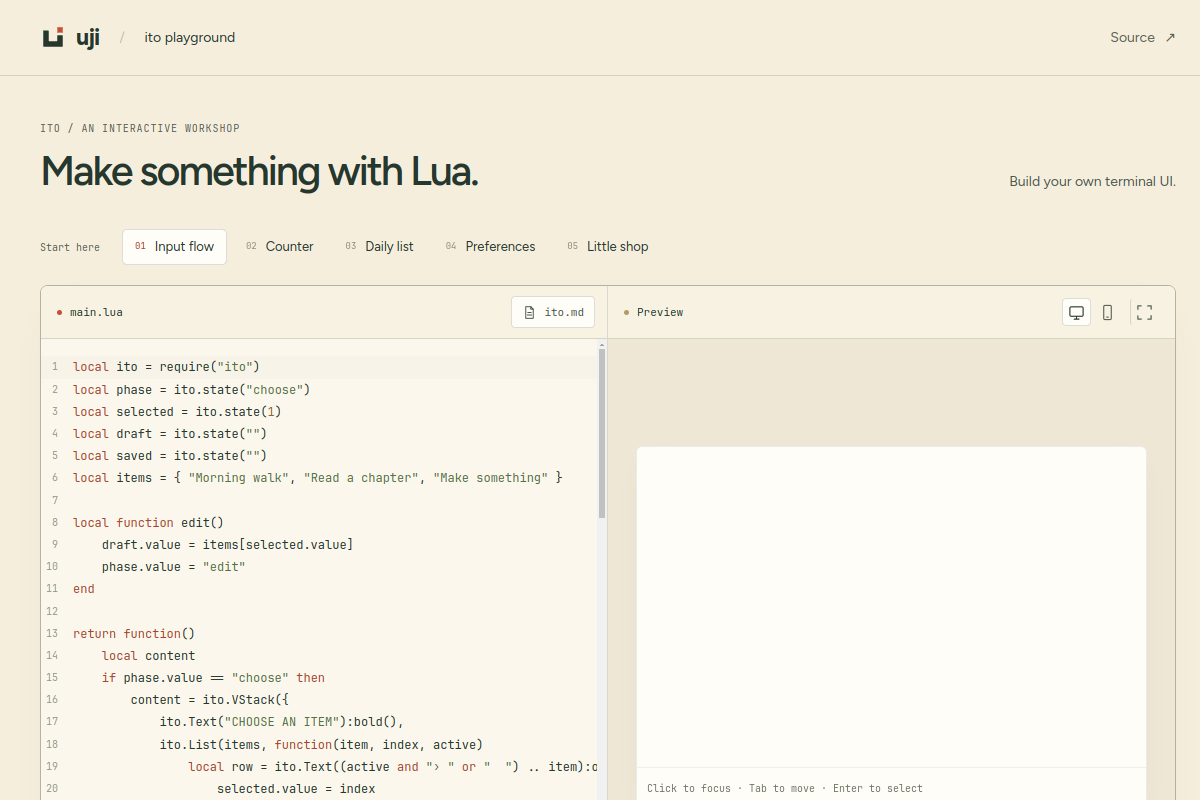
The core workflow centers on writing a `main.lua` function that composes views using declarative primitives such as `VStack`, `HStack`, `Text`, `TextField`, and `Button`. State is managed through `ito.state()` which triggers reactive redraws on change. The playground compiles the Lua code to WebAssembly, paints the terminal grid onto an HTML canvas, and forwards keyboard events to the same event loop used by native `ito.Window`. Outputs are pure terminal cell buffers, while inputs include keyboard navigation, mouse clicks, and focus management, all compatible with any Lua runtime that includes the Ito library.
Ito targets Lua developers building CLI utilities, DevOps engineers automating terminal dashboards, and hobbyists prototyping interactive scripts. By eliminating local dependencies, teams can shave hours off UI iteration cycles, achieve faster feedback loops, and ship terminal applications with consistent cross‑platform behavior. Ideal for small to medium teams (1‑20 engineers) that need rapid UI validation before committing to native builds.
Ito is a Lua library for building terminal user interfaces. It provides declarative components (VStack, HStack, Text, etc.) and a reactive state system. In the browser, your Lua code is compiled to WebAssembly, which renders a terminal grid onto a canvas and processes keyboard/mouse events, giving you a live preview that matches native terminal behavior.
Ito is completely free and open source. There is no paid tier or trial period; you can start building terminal UIs immediately on the web playground or by installing the library locally.
Ito is ideal for Lua developers, DevOps engineers, and anyone building command‑line tools who wants a fast, visual way to prototype and test terminal interfaces without setting up a local environment.
Ito runs in any modern browser via WebAssembly and can be used on macOS, Linux, and Windows terminals. It integrates with standard Lua runtimes and can be called from other languages through FFI, but the primary interface is Lua code. The playground also supports exporting your `main.lua` for use in native applications.