Ida, the Mac assistant Siri should h...
8.9 / 10 BenchmarkThe native Mac voice layer that executes cross-app actions via a single key press.

The native Mac voice layer that executes cross-app actions via a single key press.
| Pricing Model | Paid |
|---|---|
| Starting Price | Contact for Pricing |
| Free Trial | None |
| Official Pricing Tiers | View Complete Pricing Plans → |
| Ideal Audience & Best For | macOS Power Users, Developers, Productivity Enthusiasts, Executives |
| API & Integrations | REST API & Webhooks Ready |
| Community Upvotes | ▲ 40 votes by verified community members |
Ida is a native macOS application designed to function as a persistent, system-wide voice interface, positioning itself as the practical evolution of Siri. It addresses the fragmentation of modern desktop workflows by providing a unified voice layer that operates independently of specific applications, allowing users to issue commands that trigger actions across their entire digital environment. The architecture relies on deep OS-level integration to maintain a lightweight, always-available presence at the top of the screen, ensuring minimal latency and seamless context awareness without requiring users to switch windows or open dedicated chat interfaces.
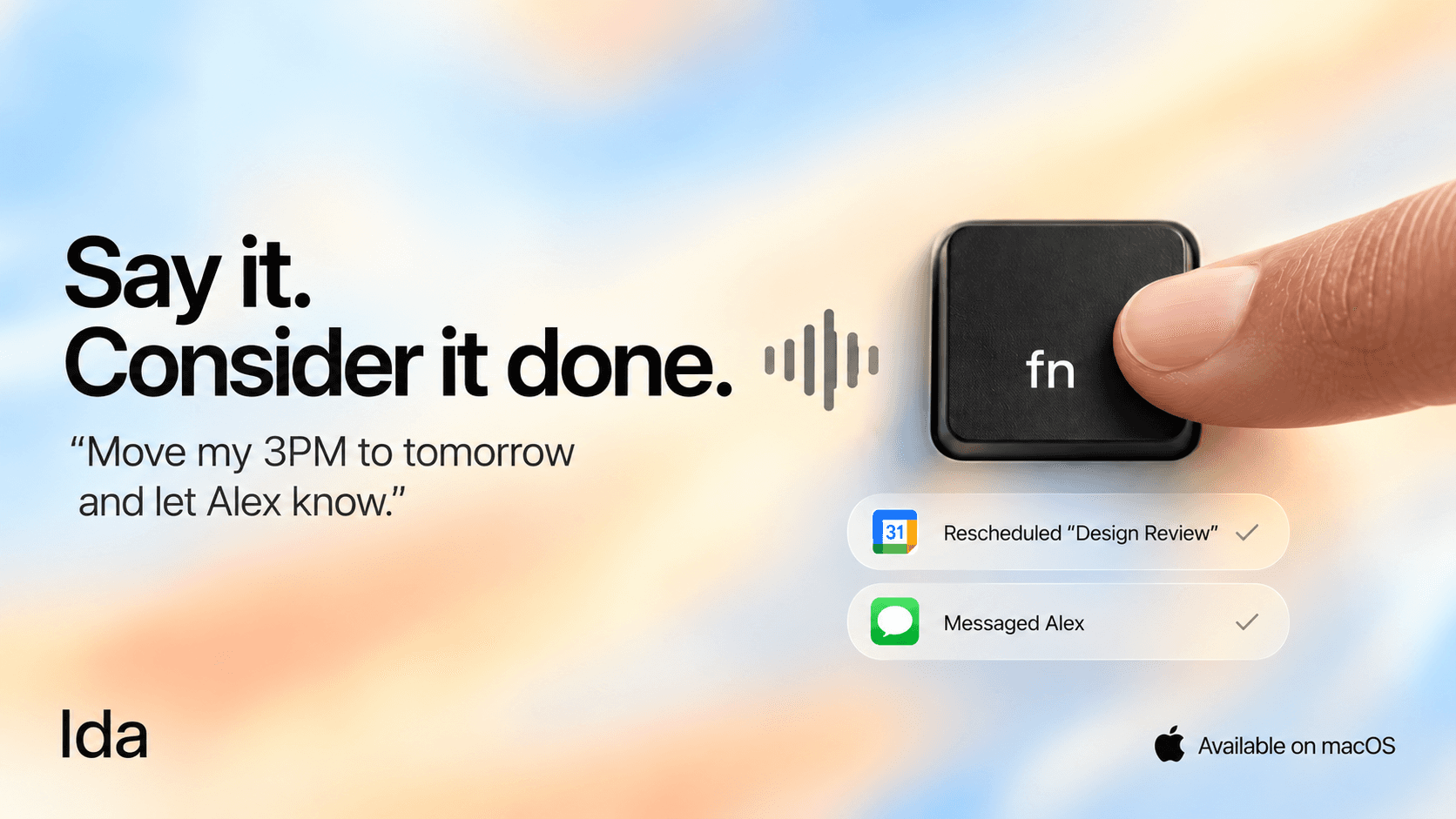
The core interaction model is built around a single modifier key (typically the Function key) that activates voice input; upon release, Ida processes the command and executes the corresponding action. It supports complex, multi-step workflows such as drafting emails, creating calendar events, and navigating files, with the ability to interpret context from active applications like iMessage or Google Calendar. Ida features a 'hands-free' mode for continuous interaction and includes specific developer workflows, allowing for programmatic integration and custom action mapping. The interface provides immediate visual feedback, displaying pending actions (like 'Move event' or 'Send message') for user confirmation before execution, ensuring safety and precision in high-stakes tasks.
Ida is primarily targeted at power users, developers, and knowledge workers who rely heavily on macOS and seek to maximize efficiency through voice-driven automation. By eliminating the need for manual typing and navigation, it offers significant time savings in repetitive tasks such as scheduling, communication, and file management. The tool is ideal for individuals and small teams who prioritize speed and accessibility, particularly those with high volumes of email and calendar interactions, providing a measurable ROI through reduced cognitive load and accelerated task completion.
Ida is a native Mac voice layer that allows users to control their computer through voice commands. It works by holding a single key (like Fn) to speak, then releasing to execute the command. Ida processes the request and performs actions across various apps, such as sending emails or updating calendars, with a visual confirmation step before execution.
Ida is a paid product, and specific pricing details are not publicly listed on the homepage. Users are encouraged to contact the sales team or request a download via email for more information on licensing and availability. There is no mention of a free trial or freemium tier.
Ida is best suited for macOS power users, developers, and professionals who handle high volumes of email, scheduling, and file management tasks. It is ideal for individuals seeking to maximize productivity through voice-driven automation and those who prefer a hands-free workflow on their Mac.
Ida is exclusively available on macOS. It integrates with common productivity applications such as iMessage, Google Calendar, and Notes, and supports developer workflows for custom integrations. It operates as a system-wide layer, meaning it can interact with any app that supports standard macOS input and output methods.