Gotcha
8.8 / 10 BenchmarkControl your Android with voice, text, and natural language—no code, no permissions, just instant device actions.

Control your Android with voice, text, and natural language—no code, no permissions, just instant device actions.

| Pricing Model | Free |
|---|---|
| Starting Price | Free |
| Free Trial | None |
| Official Pricing Tiers | View Complete Pricing Plans → |
| Ideal Audience & Best For | Power Users, Mobile Developers, Accessibility Advocates |
| API & Integrations | REST API & Webhooks Ready |
| Community Upvotes | ▲ 14 votes by verified community members |
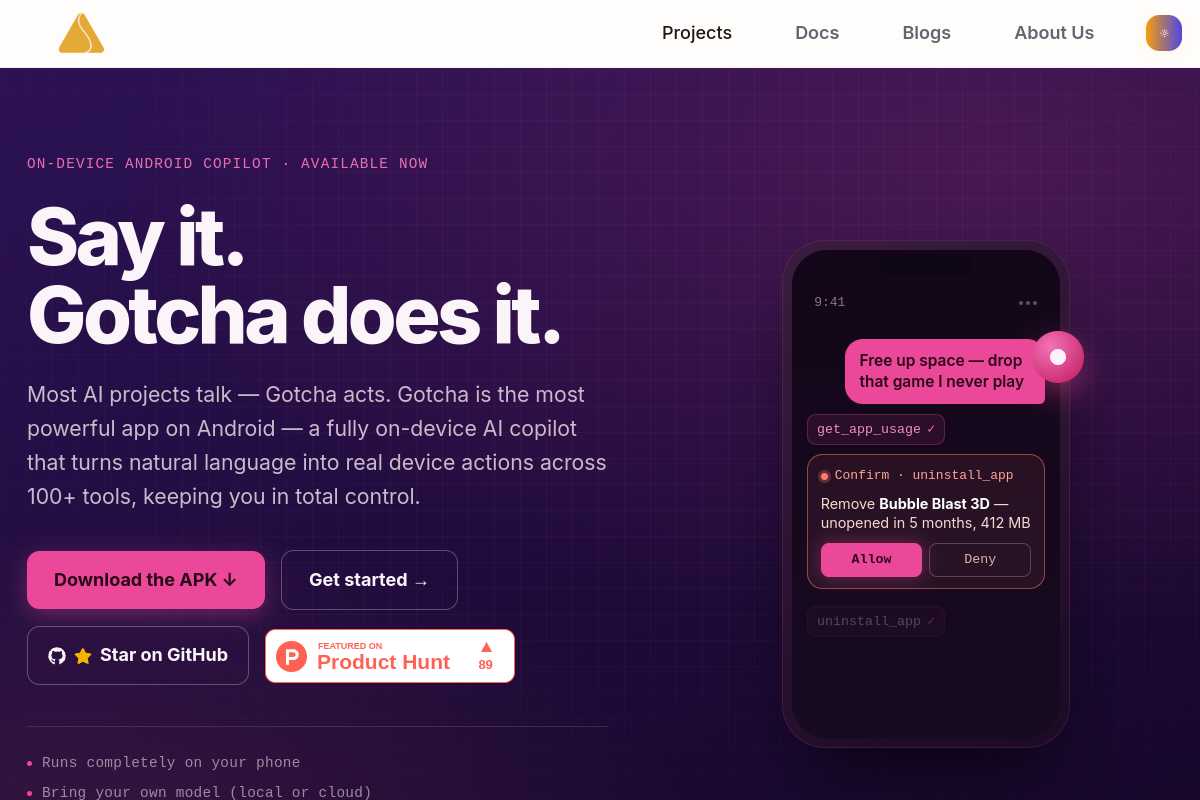
Gotcha is a lightweight, on‑device AI copilot that bridges natural language commands to Android system operations. It runs locally on the phone, routing user intent through a configurable LLM endpoint while keeping all credentials encrypted and the execution sandboxed by Android’s permission model. The solution solves the friction of manual navigation and app‑switching, positioning itself as a privacy‑first, zero‑risk assistant that can be toggled on or off at any time.
Users interact via the floating Assistive Ball or by speaking “Hey Gotcha.” The copilot parses the prompt, evaluates live screen context, and triggers one of 100+ pre‑built device tools—ranging from `send_sms` and `get_storage_info` to `set_wallpaper` and `navigate_app`. Two safety modes—Monitor (read‑only) and Operator (execute)—are available, each governed by a four‑tier permission system that visually signals foreground (blue ring) or background (orange ring) activity. The tool integrates with any LLM provider, allowing developers to plug in OpenAI, Anthropic, or open‑source models.
Gotcha targets power users, mobile developers, and accessibility advocates who need rapid, hands‑free device automation. By reducing the time spent on repetitive tasks from minutes to seconds, it boosts productivity for individuals and small teams, delivering measurable ROI in daily phone usage and app workflows.
Gotcha is an on‑device AI copilot for Android that translates natural language commands into system actions. It runs locally, uses a configurable LLM endpoint for intent parsing, and executes pre‑built device tools while respecting Android’s permission model. Users can toggle between Monitor (read‑only) and Operator (execute) modes via the Assistive Ball.
The Gotcha app is free to download and use. Full functionality requires an LLM endpoint, which may incur costs depending on the provider (e.g., OpenAI, Anthropic). There is no separate trial period; the app itself is free, and you can test the LLM integration with your own subscription.
Gotcha is ideal for power users, mobile developers, and accessibility advocates who need rapid, hands‑free device automation. It’s also useful for anyone looking to reduce phone navigation friction and automate repetitive tasks.
Gotcha runs on Android and communicates with any LLM provider via a REST API. It offers a floating Assistive Ball for quick access and supports voice, text, and screen‑context inputs. The tool is tightly integrated with Android’s permission system and can be extended with custom device tools.