Flyte devbox now runs GPU workloads ...
9.1 / 10 BenchmarkLocal ML development with native GPU acceleration on Mac

Local ML development with native GPU acceleration on Mac
| Pricing Model | Open_source |
|---|---|
| Starting Price | Free |
| Free Trial | None |
| Official Pricing Tiers | View Complete Pricing Plans → |
| Ideal Audience & Best For | ML Engineers, Data Scientists, AI Researchers |
| API & Integrations | REST API & Webhooks Ready |
| Community Upvotes | ▲ 37 votes by verified community members |
Flyte Devbox is a lightweight, container‑based local runtime that mirrors Flyte’s cloud execution model, enabling developers to prototype, test, and debug Flyte tasks and apps on a single machine. It solves the problem of GPU‑idle local environments by exposing Apple Silicon’s Metal Performance Shaders (MPS) and MLX directly to Python code, while still preserving the isolation and reproducibility of containerized workloads.
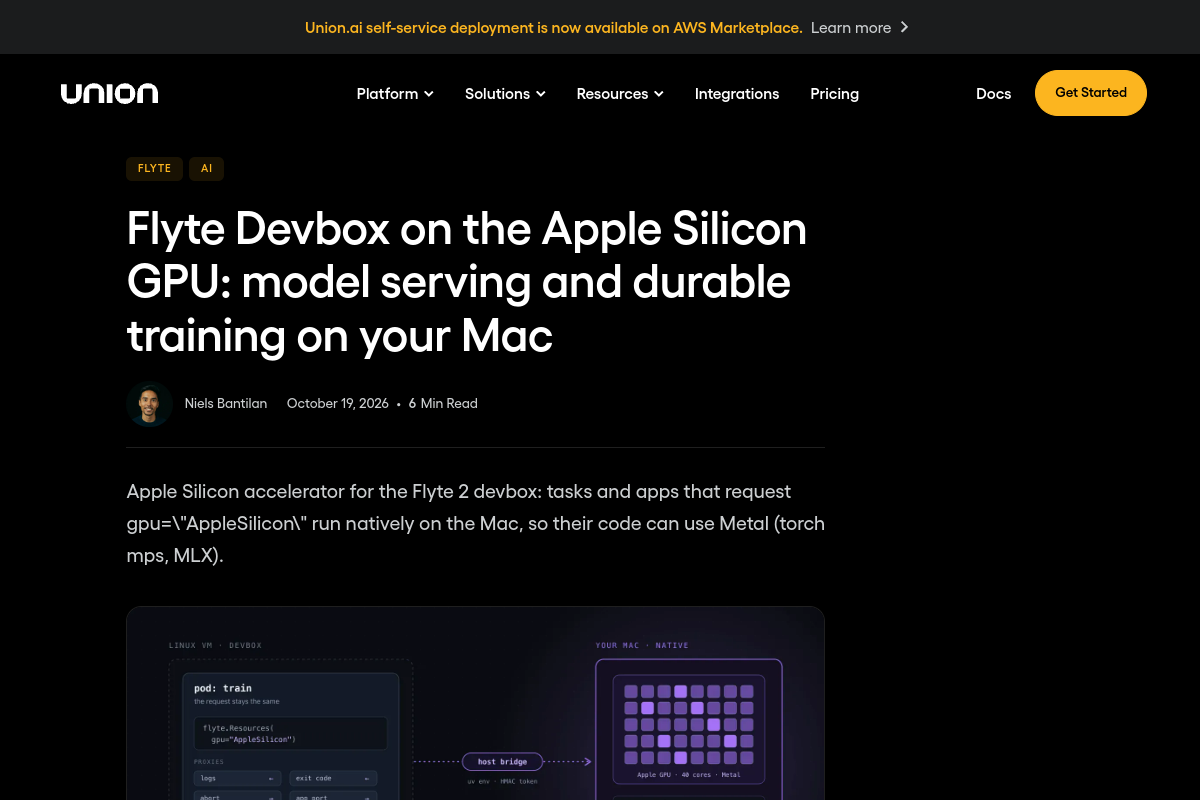
The core workflow starts with `flyte start devbox`, which launches a Linux VM that hosts a minimal Docker container for each task. When a task requests `gpu="AppleSilicon"`, Flyte Devbox transparently bridges the container to the host’s MPS runtime, compiling a cached `uv` environment and forwarding all I/O, logs, and ports. Supported inputs include standard Flyte data types, Hugging Face models, and custom Python packages; outputs are persisted to the local Flyte metadata store. The bridge also handles authentication via per‑workload HMAC tokens, ensuring secure isolation between concurrent tasks.
Flyte Devbox targets ML engineers, data scientists, and AI researchers who need rapid iteration cycles. By running training loops on the Mac’s 40‑core GPU instead of a CPU, teams can cut experiment turnaround from hours to minutes, reducing cloud spend and accelerating time‑to‑production. It scales from solo developers to small squads (2–5 people) and integrates seamlessly with Flyte’s cloud deployment pipelines, making it ideal for teams transitioning from local prototyping to multi‑cluster production workloads.
Flyte Devbox is a local development environment that emulates Flyte’s cloud execution model on a single machine. It runs each task in a lightweight Linux VM container and, when requested, bridges the container to the host’s Apple Silicon GPU via Metal Performance Shaders. This allows developers to write and test Flyte tasks locally with the same isolation and reproducibility as in the cloud.
Flyte Devbox is open‑source and free to use. There is no paid tier or trial period; you can download and run it locally without any subscription.
Flyte Devbox is ideal for ML engineers, data scientists, and AI researchers who need rapid local iteration of Flyte tasks and want to leverage Apple Silicon GPUs for faster training and inference.
Flyte Devbox supports the Flyte ecosystem, including Flyte tasks, apps, and workflows. It runs on macOS, Linux, and Windows via the Flyte CLI, and integrates with Hugging Face, PyTorch, and MLX for model loading and training.