Cursor
9.0 / 10 BenchmarkAI‑powered coding agent that turns ideas into production‑ready software.
AI‑powered coding agent that turns ideas into production‑ready software.
| Pricing Model | Freemium |
|---|---|
| Starting Price | $0/mo |
| Free Trial | Free Tier Available |
| Official Pricing Tiers | View Complete Pricing Plans → |
| Ideal Audience & Best For | Software Engineers, Full‑stack Developers, DevOps Teams, AI‑first Startups |
| API & Integrations | REST API & Webhooks Ready |
| Community Upvotes | ▲ 30 votes by verified community members |
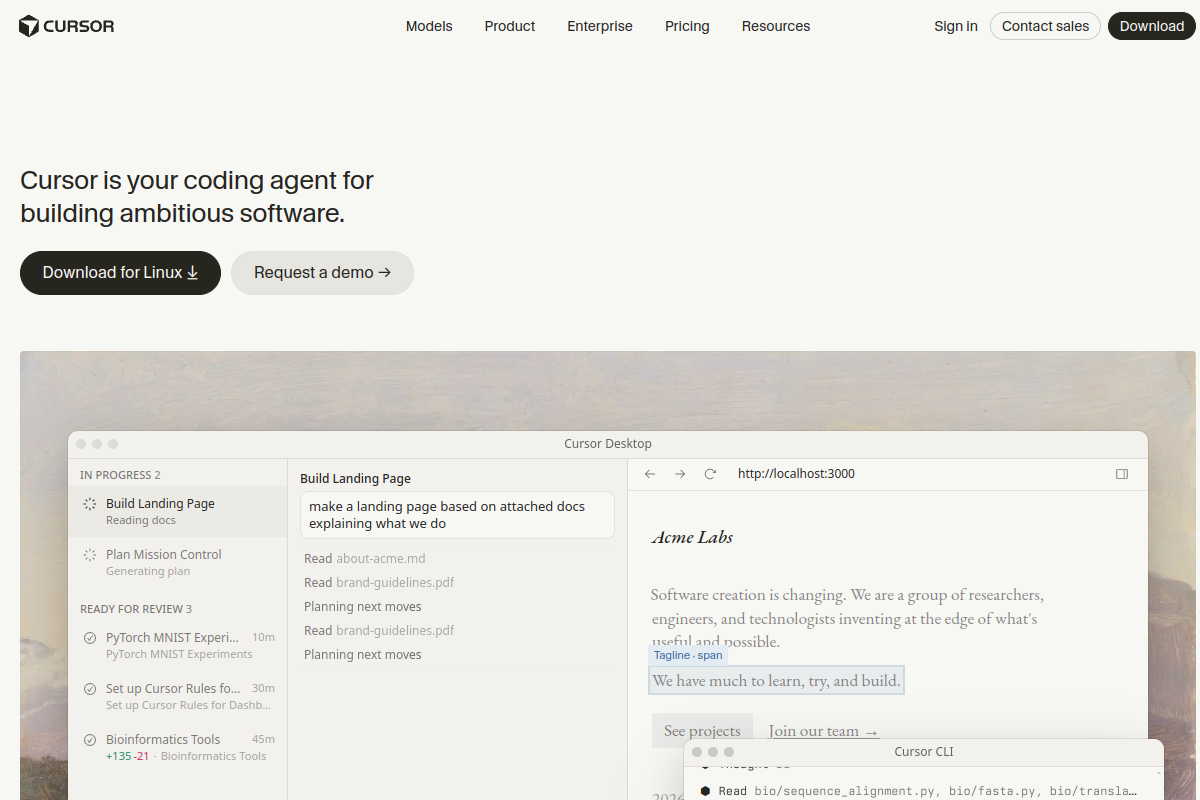
Cursor runs on a hybrid cloud‑native architecture that indexes your codebase, streams context to large language models, and orchestrates autonomous agents to write, test, and refactor code. It solves the bottleneck of manual implementation by letting developers describe high‑level goals and letting the AI handle the heavy lifting, positioning itself as a full‑stack development companion rather than a simple autocomplete.
The platform offers a desktop IDE, a CLI, and a REST API that accept natural‑language prompts, file‑level diffs, and test specifications. Integrated Grok models generate code, run unit tests, and iterate until the developer approves. Agents can run in parallel on dedicated cloud workers, accessing third‑party models and custom tooling via plug‑in hooks, while the UI surfaces plan‑based task boards, mission‑control window previews, and real‑time telemetry.
Cursor is built for professional engineers, AI‑first startups, and DevOps squads that need to ship features faster. Teams report up to 40% reduction in development cycle time and a measurable boost in code quality thanks to AI‑driven reviews. The tool scales from solo freelancers on the free tier to enterprise engineering orgs with custom usage pools and priority model access.
Cursor is an AI‑powered coding assistant that combines a local IDE with cloud‑based agents. It indexes your codebase, sends context to Grok language models, and lets you describe tasks in natural language. The models generate code, run tests, and iterate autonomously, while you review and approve changes through the UI or CLI.
Cursor offers a free tier with limited AI usage and agent requests. Paid plans start at $8/month (Plus) and scale up to $200/month (Ultra) with increasing usage caps, priority model access, and enterprise features. There is no separate trial period; the free tier provides immediate access.
Cursor is ideal for professional software engineers, full‑stack developers, AI‑first startups, and DevOps teams that need to accelerate development, automate testing, and maintain high code quality across large codebases.
Cursor runs as a native macOS/Windows/Linux desktop app, offers a CLI, and exposes a REST API. It integrates with third‑party LLM providers, CI/CD pipelines, and popular version‑control systems. Voice, chat, and image generation are also supported via the Grok suite.