Continue a ChatGPT/Claude/Gemini cha...
8.9 / 10 BenchmarkSeamlessly transfer your ChatGPT chat to any AI, no account, no data loss.

Seamlessly transfer your ChatGPT chat to any AI, no account, no data loss.
| Pricing Model | Free |
|---|---|
| Starting Price | Free |
| Free Trial | None |
| Official Pricing Tiers | View Complete Pricing Plans → |
| Ideal Audience & Best For | AI Enthusiasts, Content Creators, Developers, Researchers |
| API & Integrations | REST API & Webhooks Ready |
| Community Upvotes | ▲ 14 votes by verified community members |
**Technical Architecture & Problem Solved**
Chat Transfer is a pure client‑side web tool that runs entirely in the browser, leveraging JavaScript to parse raw chat logs and construct a context‑rich prompt for the target AI. It solves the friction of hitting free‑tier limits by allowing users to continue a conversation in a different LLM without re‑typing or losing context, positioning itself as a privacy‑first, cross‑AI bridge.
**Core Workflows & Interface**
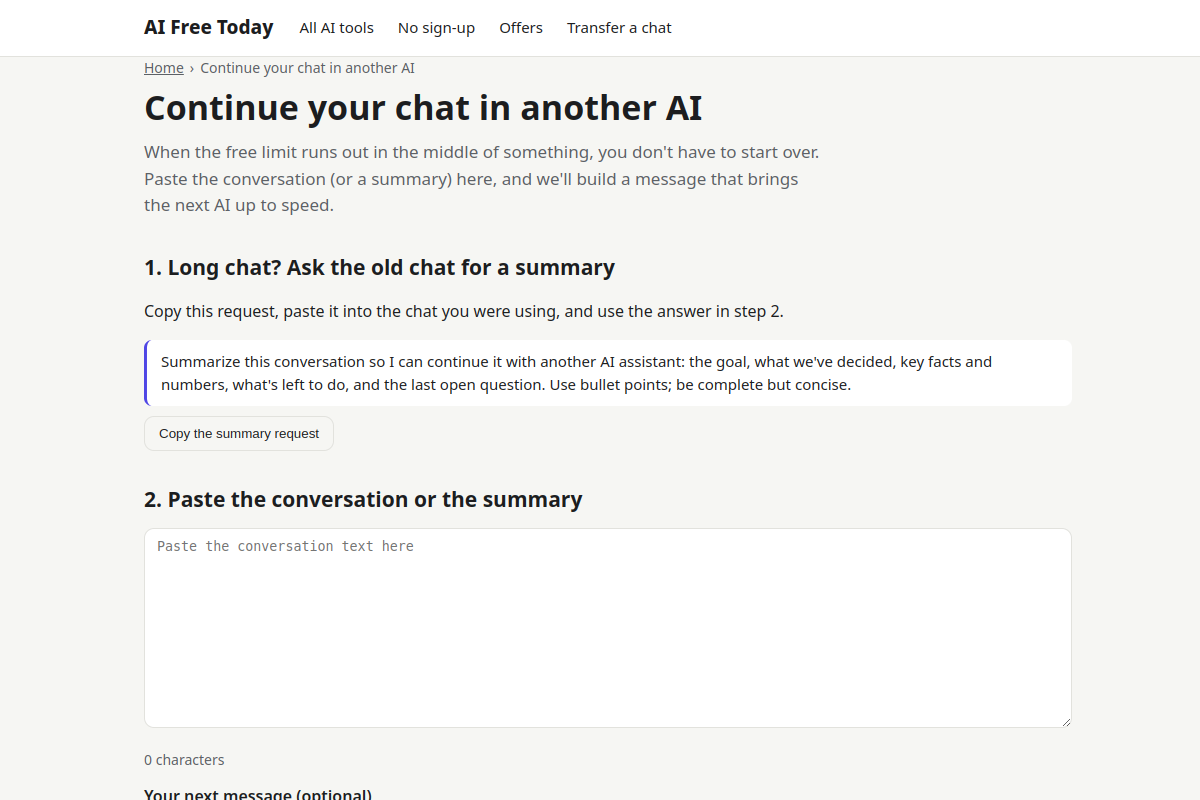
Users paste the full conversation or a summary, select a destination AI from a dropdown (ChatGPT, Claude, Gemini, Perplexity, etc.), and the tool auto‑generates a continuation prompt that pre‑fills the target chat window. The interface is minimal: a textarea, a copy button, and a list of supported AI services. Inputs are plain text; outputs are a pre‑filled message ready to send. The tool uses client‑side fetch to open the target site with the prompt, ensuring no server‑side processing.
**Target Audience & ROI**
Designed for AI enthusiasts, content creators, developers, and researchers who juggle multiple LLMs, Chat Transfer saves up to 5–10 minutes per conversation by eliminating the need to re‑type or manually copy context. Ideal for solo users or small teams that require quick, secure transitions between AI platforms.
Chat Transfer is a browser‑based tool that lets you paste a ChatGPT conversation (or a summary) and instantly generate a continuation prompt for another AI. It parses the text client‑side, builds a context‑rich message, and opens the target AI’s chat window with that message pre‑filled, all without sending your data to a server.
Chat Transfer is completely free with no trial period. It requires no account and runs entirely in your browser, so there are no hidden costs.
It’s ideal for AI users who frequently switch between LLMs—content creators, developers, researchers, and anyone who wants to avoid re‑typing long conversations.
Chat Transfer supports a wide range of popular LLMs, including ChatGPT, Claude, Gemini, Perplexity, Grok, Kimi, Duck.ai, Ask Brave, Meta AI, DeepSeek, Mistral Vibe, Qwen Chat, and Poe. It works as a web app and a browser extension, with no server‑side integration.