Loop-find, trim, rotate and crop vid...
8.7 / 10 BenchmarkInstantly trim, rotate, crop, and edit videos right in your browser—no uploads, no quality loss.

Instantly trim, rotate, crop, and edit videos right in your browser—no uploads, no quality loss.
| Pricing Model | Free |
|---|---|
| Starting Price | Free |
| Free Trial | None |
| Official Pricing Tiers | View Complete Pricing Plans → |
| Ideal Audience & Best For | Content creators, social media managers, educators, small marketing teams |
| API & Integrations | REST API & Webhooks Ready |
| Community Upvotes | ▲ 35 votes by verified community members |
ClipYouredit is a browser‑based video editor built on WebAssembly‑compiled FFmpeg, enabling all processing to run locally on the user’s machine. It solves the need for quick, privacy‑preserving video trimming and basic editing without installing desktop software, positioning itself as a zero‑setup, zero‑trust tool for creators and marketers.
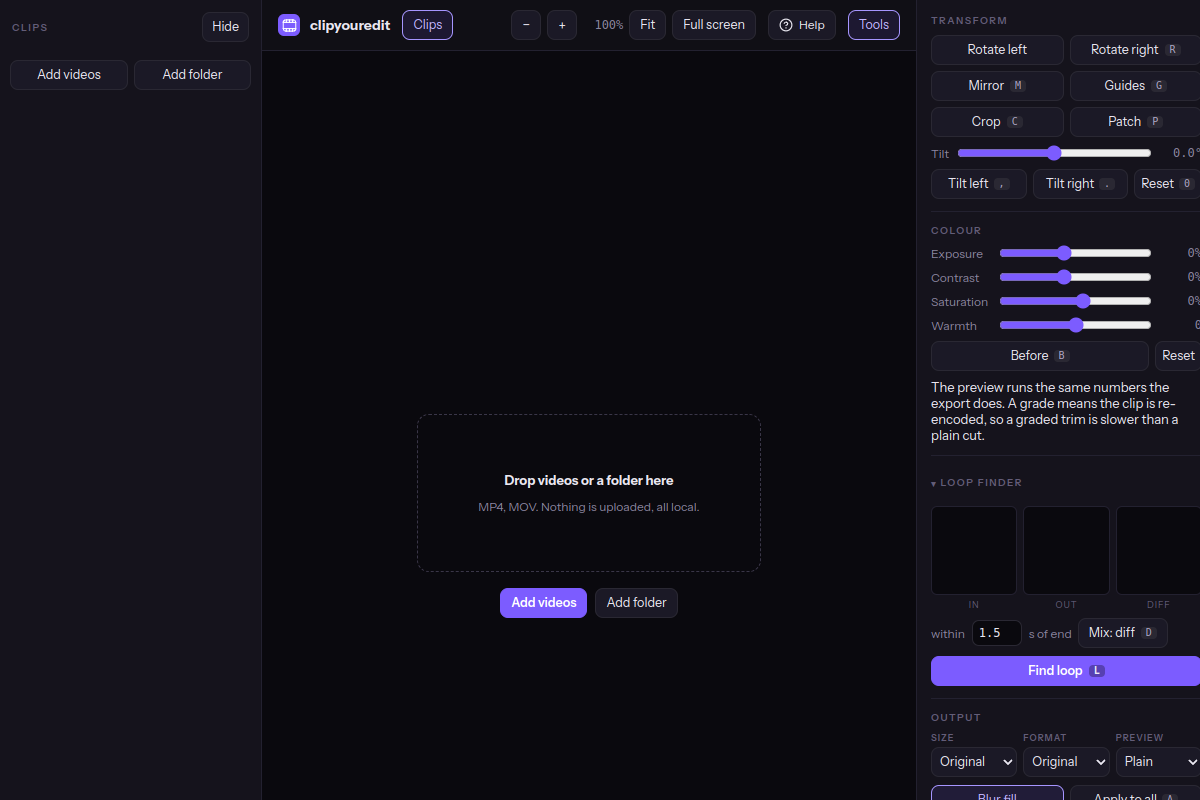
The core workflow involves drag‑and‑drop of MP4 or MOV files, timeline controls for frame‑accurate cuts, and a suite of editing tools such as patch/clone, blur, color grading, and a loop‑finder that detects seamless loop points. Users can export directly to their device or opt for server‑side re‑encoding via FFmpeg, with the server deleting the clip immediately after download. The interface is lightweight, featuring preview playback, adjustable playback speed, and export options for various resolutions and aspect ratios.
Targeted at solo creators, social media managers, educators, and small marketing teams, ClipYouredit delivers measurable ROI by cutting hours of manual editing, eliminating the need for bulky software, and ensuring that video data never leaves the user’s computer unless explicitly chosen. Ideal for teams of 1–5, it scales from individual hobbyists to small agencies handling multiple short‑form video projects.
ClipYouredit is a web‑based video editor that runs entirely in your browser using WebAssembly‑compiled FFmpeg. You drag and drop MP4 or MOV files, edit them with tools like trim, rotate, crop, patch, and color adjustments, and then export locally or to a temporary server for re‑encoding. All processing is done on your machine unless you opt for server export, ensuring privacy and speed.
ClipYouredit is free to use. There is no paid tier or trial period; the entire application is available at no cost. An optional server export is available for re‑encoding, but it is also free and the server deletes the clip immediately after download.
ClipYouredit is ideal for solo creators, social media managers, educators, and small marketing teams who need quick, privacy‑preserving trimming and basic editing of short‑form video content without installing software.
ClipYouredit runs in modern browsers (Chrome, Firefox, Edge, Safari) on desktop and mobile devices. It supports MP4 and MOV imports, and exports to various resolutions and aspect ratios. No external integrations are required, but you can export to cloud storage or social platforms manually after download.